01
Invoices that feel typeset
Create clean invoices with saved clients, due dates, discounts, tax, payment details, and public links that clients can open without an account.
PDF previewauto-numberingpublic links
Invofolio handles the paperwork side of running a small business: quotations, polished invoices, saved clients, projects, and a dashboard that tells you what is paid.
Same client, project, and line items move forward.
Numbering, PDF name, and payment details stay consistent.
Balance, partial payment, and activity history stay visible.
Payment by bank transfer within 14 days. Public invoice link and PDF export are attached to this record.
Most billing tools start the day you send an invoice. Invofolio starts at the quote, keeps the client and project record, and stays with the work until the money clears.
Create clean invoices with saved clients, due dates, discounts, tax, payment details, and public links that clients can open without an account.
Send a quote first, then convert accepted work into an invoice without retyping the client, project, or line items.
Client records hold contact details, billing address, default currency, language, and custom fields for repeat work.
Projects control numbering and PDF filename templates so every invoice follows the same naming and filing logic.
Switch the invoice look without changing the math, client details, line items, or payment notes underneath.
Payment by bank transfer within 14 days. Public invoice link and PDF export are attached to this record.
Lined hierarchy. Built for screen.
Payment by bank transfer within 14 days. Public invoice link and PDF export are attached to this record.
Confident structure. Built for print.
Payment by bank transfer within 14 days. Public invoice link and PDF export are attached to this record.
No chrome. Maximum signal.
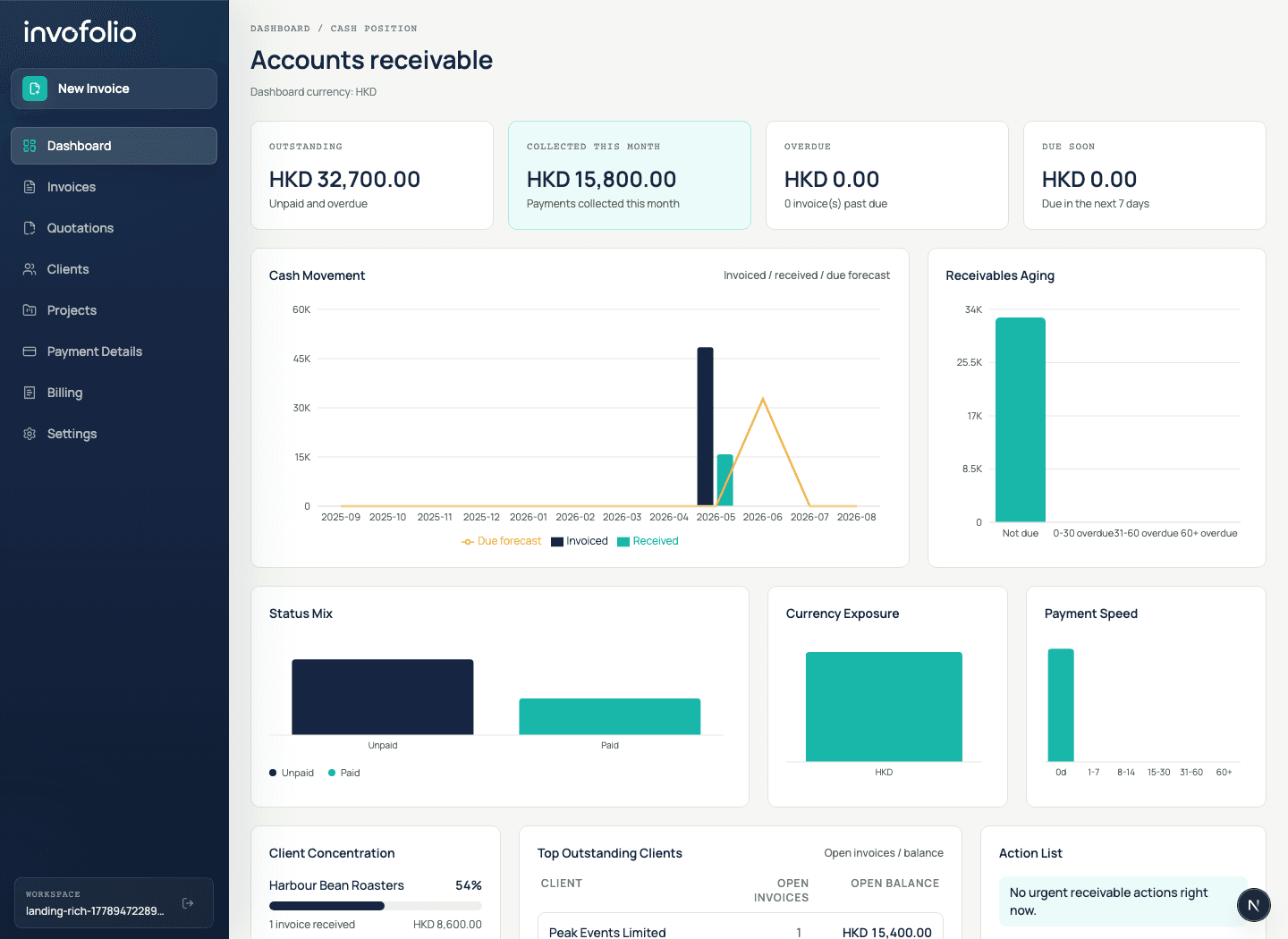
The dashboard is a billing review, not a generic status board. It shows which invoices need attention, where cash is already collected, and which clients or currencies are shaping your receivables.
Collected this month, open balance, overdue balance, and due-soon totals in one row.
See what is not due, 0-30 overdue, 31-60 overdue, and 60+ overdue before it becomes cleanup work.
Spot which clients drive receipts and which open balances deserve follow-up.
Roll up multi-currency invoices into your dashboard currency with cached daily FX rates.
Anything else? We answer support emails directly while we build with our first users.
Start free →Yes. Free includes 5 invoices per month, 2 clients, 1 project, PDF preview/export, public invoice links, and the Modern invoice template.
Early Pro is a simple monthly paid plan for small operators who need unlimited invoices, clients, projects, templates, branding, payment records, and dashboard features.
No. Invofolio focuses on billing, clients, receivables, and cashflow visibility. It is not tax filing or full bookkeeping software.
For launch, invoices can include payment details and public links. Online payment processing is planned separately.
Yes. You can create quotations first, then convert accepted quotes into invoices while keeping the same client, project, and line items.
Yes. Public invoice links let clients view or download an invoice without creating an Invofolio account.
Invofolio is built for freelancers, small studios, consultants, service teams, and small businesses that want simple billing with cleaner records and cashflow visibility.
Free for 5 invoices a month. Two minutes to set up. Upgrade only when billing grows.